Maintain resilient communication when
emergencies strike

Enable first responders to coordinate emergencies through effective collaboration,
secure communication, and streamlined workflows.


Woman wearing a headset and red uniform working at a computer with multiple monitors in an office environment.

Deployed by secure organizations globally

Text reading 'U-LISA' in blue with a stylized yellow star and the European Union flag on the right.
City of Cologne logo
Seal of the United States Army featuring a bald eagle holding arrows and an olive branch, encircled by the text 'United States Army'.
Seal of the United States Air Force featuring a bald eagle atop a blue shield with stars and a pair of golden wings.
BAE Systems logo
Blue and black General Dynamics Mission Systems logo text on a white background.

Empower emergency teams with reliable communications

Rocket.Chat powers fast, coordinated decisions with effective, real-time collaboration.

Medical professionals loading a patient on a stretcher into an ambulance.

Medical and rescue

Supporting medical services and disaster response teams in large-scale disaster recovery.

Firefighter in protective gear using a radio near a red fire truck with another firefighter accessing equipment compartments.

Fire and hazard

Empowering firefighters and coast guard units to ensure citizen safety in natural disasters.

Two security personnel monitor multiple surveillance camera feeds on large screens in a control room.

Law enforcement

Enabling police officers and military teams to manage high-risk situations and emergencies.

Communicate smarter. Act faster.

Connect people, workflows, and AI in one secure platform for emergency preparedness

Unified communications

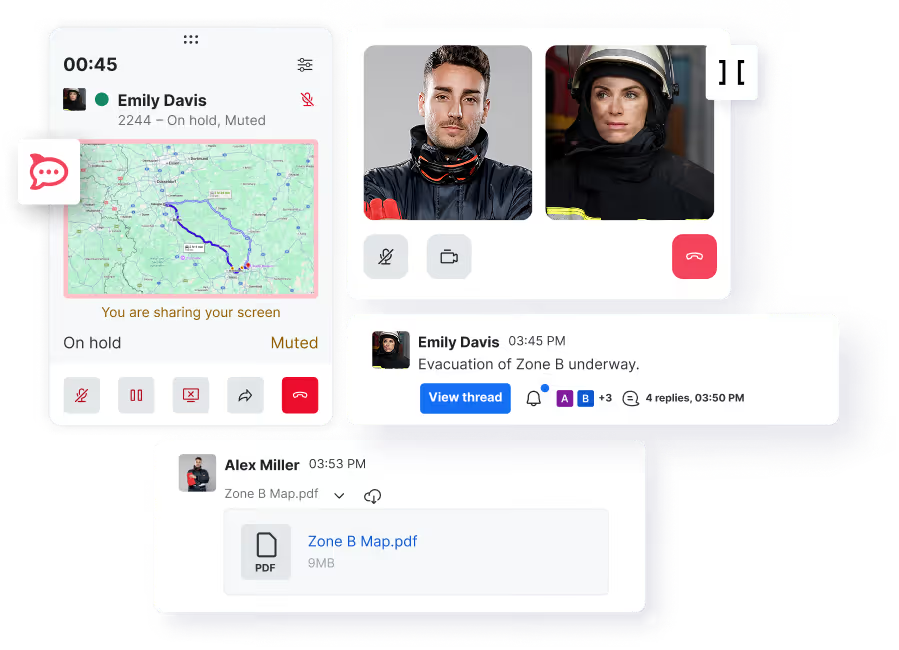
Integrate secure chat, file sharing, voice calling, and video conferencing.

Video call screenshot showing a male police chief and a female firefighter exchanging urgent messages about wildfire evacuations and flare-ups.

Dedicated channels

Organize discussion and information sharing for streamlined coordination.

Messaging app sidebar showing notifications for All, Mentions, Starred, Discussions, Teams, Direct messages, and Channels with three channels listed: Fire Rescue Team, Disaster-response-m..., and Fire-hazard-response.

Custom workflows

Adapt the platform to any workflow with custom apps.

Colored code lines on a dark background with pink icons representing branching, user coding, and settings.

Privacy-first AI

Summarize threads and get instant answers from internal knowledge base.

Chat conversation between Alex Thompson asking about the current situation and rescue team arrival time, followed by Rocket.Chat AI reporting five severe trauma cases, eight cardiac issues, two needing advanced airway support, and rescue arrival in 3 minutes.

Safeguard critical operations

Protect sensitive data and maintain operational integrity during high-stakes emergencies.

Diagram showing interconnected icons labeled On-premise, Cloud, and Airgapped surrounding a central chat bubble icon.

Flexible deployment options

Deploy on-premise, in a secure cloud, or through air-gapped hosting for data sovereignty.

Interface showing prompts to enter an end-to-end encryption password with buttons labeled Back to home, Enter E2EE password, Do it later, and Enable encryption, alongside a message confirming encryption is enabled.

Fully encrypted conversations

Protect classified conversations from interception or unauthorized access with E2EE.
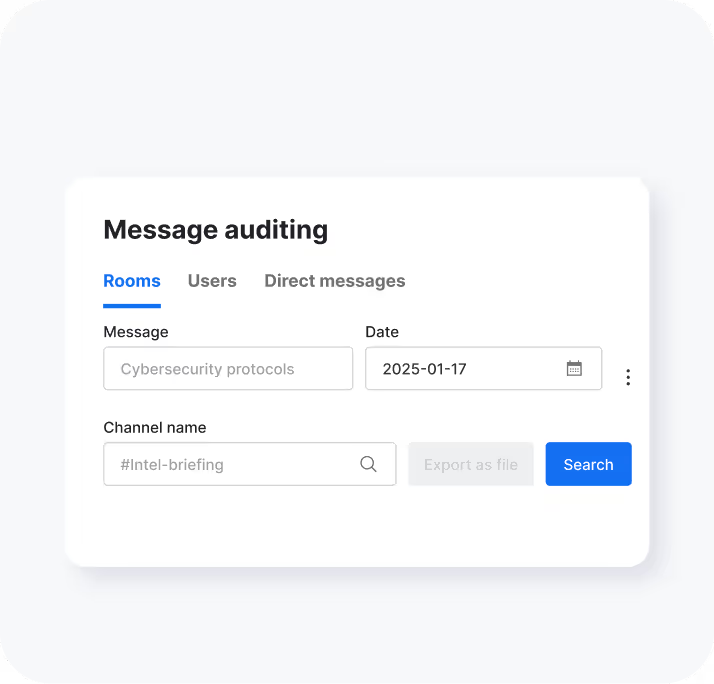
User interface for message auditing with tabs Rooms, Users, Direct messages; input fields for Message, Date, and Channel name; Search and disabled Export as file buttons.

Robust data governance

Monitor sensitive data, track changes with audit trails, and prevent leaks with DLP policies.

User interface showing setup for new roles with predefined and custom role sections, and a permissions panel with checkboxes for Admin, Manager, Auditor, and User roles.

Flexible access controls

Minimize risks and maximize efficiency with RBAC and ABAC for dynamic, context-aware access control.

Two login forms side by side; the left form with username 'dennis.parker' and obscured password shows a green checkmark, and the right form with username 'joe.mac' and obscured password shows a red X.

Centralized authentication

Simplify user management by integrating with trusted directories like LDAP, AD, SAML or SSO.

Two smartphone screens displaying a messaging app interface with icons indicating successful login on the left and logout device action with warning on the right.

Secure device authorization

Track connected devices, flag suspicious activity, and revoke access instantly when needed.

Fortified security and compliance for crisis communications

Secure communications with enterprise-grade protection—end-to-end encryption, access and user controls, and audit logs for compliance and post-incident transparency.

Message auditing interface with tabs for Rooms, Users, and Direct messages; search filters for message content 'Cybersecurity protocols', date '2025-01-17', and channel name '#Intel-briefing', with a blue Search button.
People wearing orange safety jackets working on laptops in an indoor industrial setting.

Customer story

Maximizing FEMA funding with Rocket.Chat

“Rocket.Chat’s message auditing capabilities have improved our record-keeping, helping us maximize FEMA funding. With detailed logs of EOC actions, we can streamline and strengthen our reimbursement claims, ensuring we recover up to 75% of costs.”

75%

of costs recovered with enhanced record-keeping

Director of Emergency Management at the U.S. City